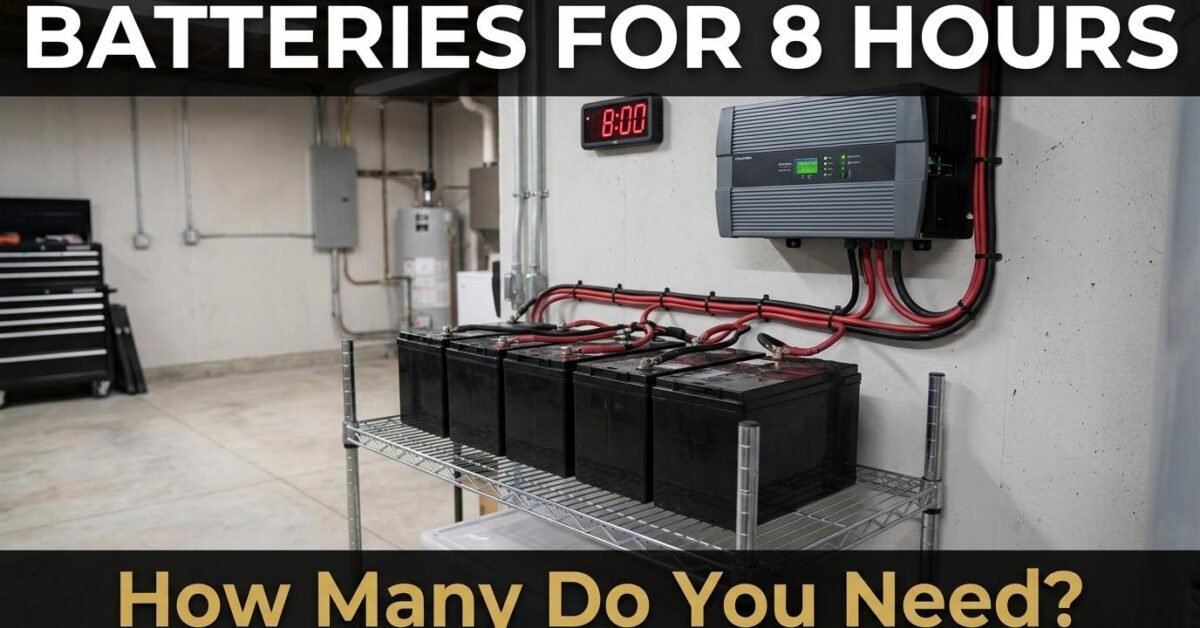
The number of batteries you need depends entirely on what you plan to run. An essentials-only backup (fridge, lights, router, phone charging) needs 2 batteries. A comfort backup that adds fans, TV, and a laptop needs 3 to 4. A full-house backup including air conditioning needs 6 to 10 or more. This guide sizes the battery bank for each scenario.
The Sizing Formula
Battery capacity needed (Wh) = Total load (watts) × Hours of backup ÷ DoD ÷ Inverter efficiency. Then divide by the Wh per battery to get the count. Our Battery Backup Calculator does this automatically — enter every appliance and it outputs the exact battery count.
Three Backup Scenarios
Scenario 1: Essentials only (300W average). Fridge (150W) + LED lights x4 (40W) + Wi-Fi router (15W) + phone charging x2 (20W) + ceiling fan (75W) = 300W. For 8 hours: 300 × 8 = 2,400 Wh needed. On LiFePO4 at 90 percent DoD and 95 percent inverter efficiency: 2,400 ÷ 0.90 ÷ 0.95 = 2,807 Wh of battery capacity. That is 2,807 ÷ 1,200 (one 100Ah 12V battery = 1,200 Wh) = 2.3 batteries. Round up: 3 × 100Ah batteries or 2 × 150Ah batteries.
Scenario 2: Comfort backup (600W average). Essentials (300W) + LED TV (70W) + laptop (65W) + second fan (75W) + washing machine intermittent (90W avg) = 600W. For 8 hours: 600 × 8 = 4,800 Wh. Battery capacity: 4,800 ÷ 0.855 = 5,614 Wh = 4.7 × 100Ah batteries. Round up: 5 × 100Ah or 2 × 200Ah + 1 × 100Ah.
Scenario 3: Full house with AC (2,500W average). Comfort load (600W) + 1-ton AC (1,200W avg with cycling) + water pump intermittent (200W avg) + microwave occasional (500W avg) = 2,500W. For 8 hours: 2,500 × 8 = 20,000 Wh. Battery capacity: 20,000 ÷ 0.855 = 23,392 Wh = 19.5 × 100Ah at 12V. That is impractical at 12V — switch to a 48V system: 23,392 ÷ 4,800 (100Ah at 48V) = 4.9 batteries. Round up: 5 × 100Ah 48V batteries or a single 500Ah 48V rack battery.
Quick Reference Table
| Backup Level | Avg Load | 8hr Energy | 12V LiFePO4 | 48V LiFePO4 |
|---|---|---|---|---|
| Essentials (fridge + lights + router) | 300W | 2,400 Wh | 3 × 100Ah | 1 × 100Ah |
| Comfort (+ TV, fans, laptop) | 600W | 4,800 Wh | 5 × 100Ah | 1 × 200Ah |
| Full house (+ AC, pump) | 2,500W | 20,000 Wh | Not practical | 5 × 100Ah |
Lead-Acid Battery Count
If using AGM or flooded lead-acid instead of LiFePO4, you need roughly twice as many batteries because the safe depth of discharge is only 50 percent. The essentials scenario (2,400 Wh) needs approximately 5 to 6 lead-acid 100Ah 12V batteries instead of 3 LiFePO4. At that quantity, the cost difference between lead-acid and LiFePO4 narrows significantly, and the weight and space requirements of lead-acid become impractical for indoor installations. For most new backup installations in 2026, LiFePO4 is the better investment.
What About a Single Large Battery?
Server-rack LiFePO4 batteries like the EG4 LL-S (5.12 kWh at 48V) or the Victron Lynx (various sizes) package the required capacity in a single unit. One 5 kWh rack battery covers the essentials scenario for 8 hours in a single box with integrated BMS, monitoring, and communication. The cost per kWh is typically 10 to 20 percent higher than DIY battery banks, but the simplicity, warranty, and professional installation compatibility make them popular for whole-home backup systems.
12V vs 48V: Why It Matters for Large Backups
At 12V, a full-house backup needs nearly 20 batteries — the cabling alone costs more than the batteries. At 48V, the same energy needs only 5 batteries with one-quarter the cable thickness. Any backup system above 3,000 Wh should use 24V or 48V. Our 12V vs 24V vs 48V guide explains the engineering and cost differences.
Adding Solar to Extend the Backup
An 8-hour overnight backup does not need to hold all the energy in batteries if solar panels recharge during the day. A 4-panel system (800W) producing 4,000 Wh during daylight reduces the battery requirement by roughly 40 percent for daytime outages. For overnight outages, the battery must hold the full load. Our Battery Charge & Discharge Calculator sizes both the battery bank and the solar panel array needed to recharge it daily.
Prioritize Your Loads
The most cost-effective approach to backup power is not backing up everything — it is being strategic about what runs on battery. A fridge needs battery power. LED lights need battery power. The Wi-Fi router needs power so you can stay connected. But the washing machine, microwave, and hair dryer can wait until grid power returns. By separating essential loads onto a dedicated sub-panel connected to the inverter and leaving non-essential loads on the main grid panel, you can size a much smaller (and cheaper) battery bank that covers only what genuinely cannot wait. Most electricians can install a critical loads sub-panel in 2 to 4 hours during the solar installation.